

1. Insert the physical eSIM card (with downloaded profiles) into your iPhone.(No configuration needed; it will automatically default to the currently active profile).
2. If you have multiple profiles stored on the card and need to switch between them, please follow the steps below:
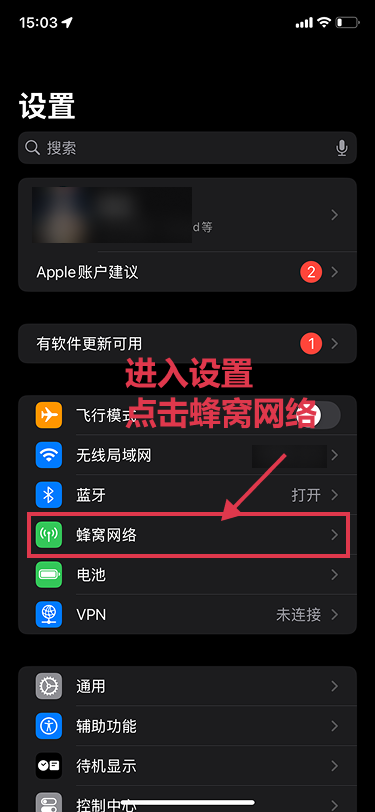
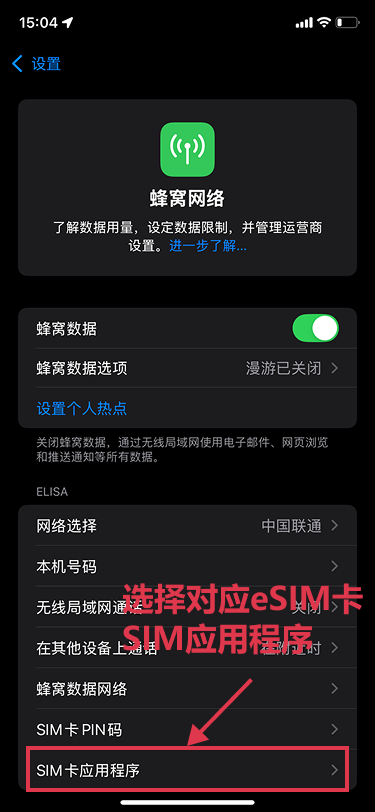
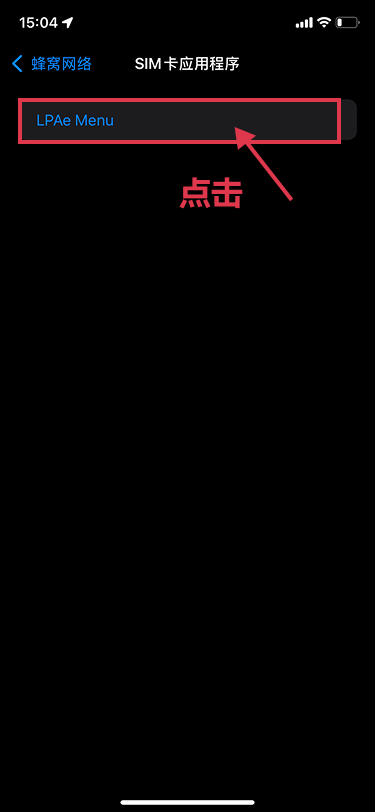
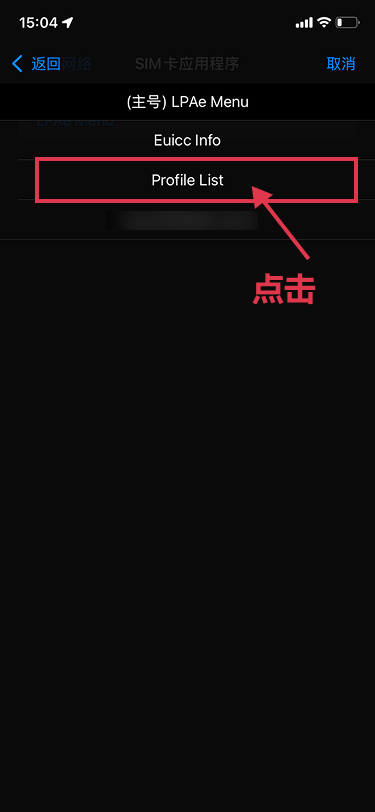
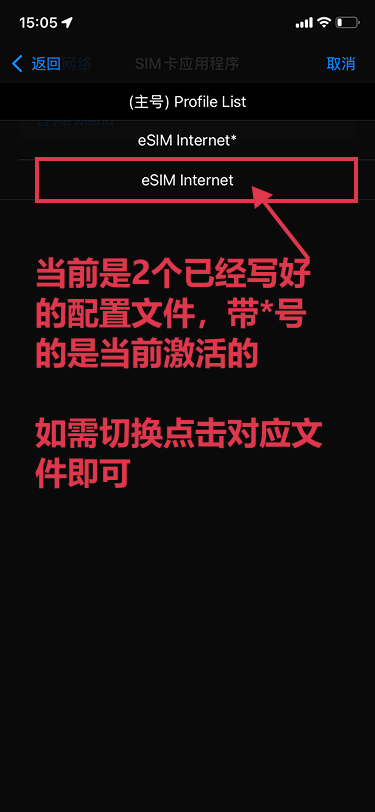
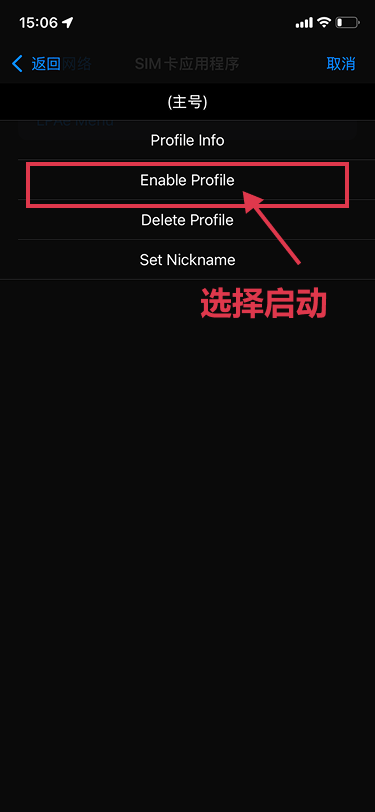
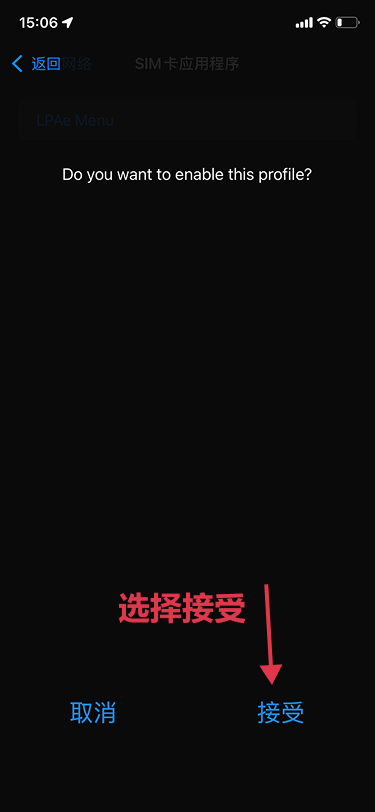
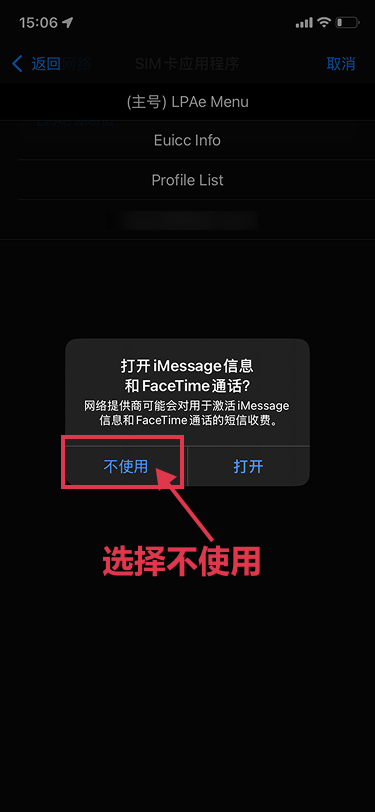
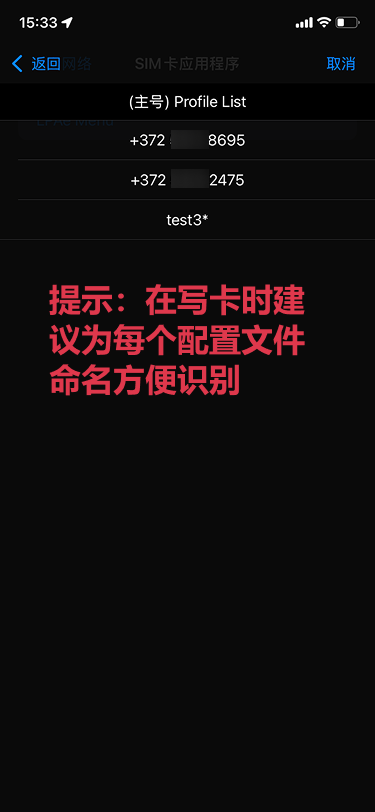
3. Toggle Airplane Mode on and off to initialize your eSIM data connection. Noted:Only one eSIM profile can be active per card at a time.
4. To download new eSIM profiles on iOS, please read: [Download eSIM profile on iOS (Card Reader Required)]
